Convert PNG to JPGTurn any PNG into a clean JPG
Choose your PNG, pick the colour that goes behind it, and download a JPG that opens anywhere.
No PNG handy?
Free · No sign-up · Your PNG stays on your device

 JPG
JPGReal results
One PNG, any background
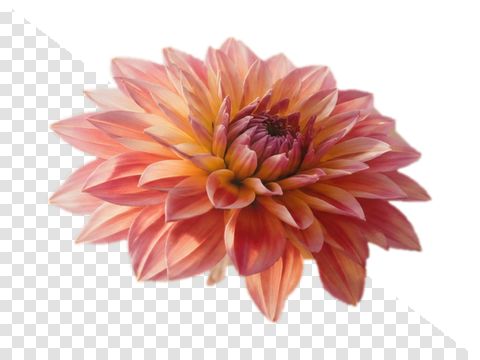
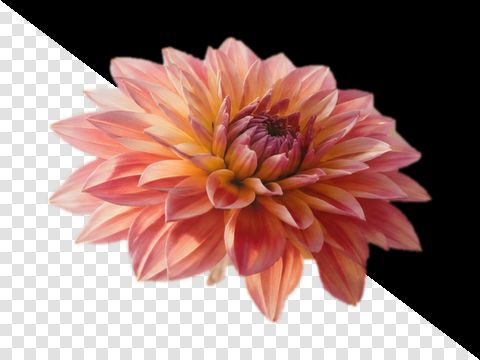
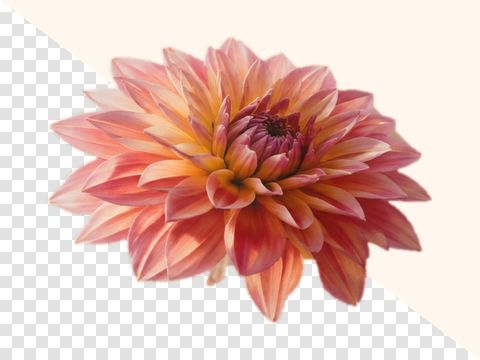
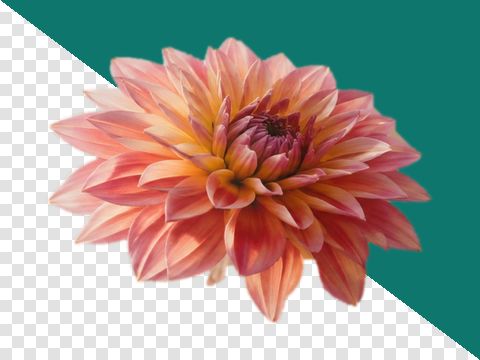
Left of the line is the PNG with its see-through parts. Right of it is the JPG you download.
Three taps
From PNG to JPG in seconds
- Step 1
Choose your PNG
Tap the button, drop the file on the page, or paste a screenshot.
- Step 2
Pick the background
White is ready to go. Tap black, your page colour or any colour you like.
- Step 3
Download the JPG
See the size first, then save it straight to your phone or computer.
All tools
What do you need the JPG for?
- PNG to JPGThe converter at the top of this page.
- Transparent PNG to JPGNo black box, no grey rim.
- PNG to JPG on whiteSee-through parts turn white.
- PNG to JPG on blackSolid black, clean edges.
- Any background colourType it or tap it.
- Batch PNG to JPGA whole folder, one ZIP.
- PNG to JPG in KBFit under a KB limit.
- For online formsExam, PAN and visa sizes.
- Signature PNG to JPGInk on white, 10–20 KB.
- Compress PNG to JPGCompare six sizes.
- Resize while convertingWidth, height or print size.
- High qualityKeep every detail.
- Screenshot to JPGPaste it, text stays crisp.
- Photo PNG to JPGBig photos made light.
- PNG to JPG 300 DPIReady for printing.
- Checkered backgroundAre the squares real?
- PNG to JPG offlineWorks with no internet.
- PNG to JPG grayscaleTrue black and white.
- Crop PNG to JPGSquare, circle or free.
Guides
The details
What really happens to a PNG
Every transparent pixel has to become a colour. Pick which one.
One edge of a cut-out mark, at 400%
Three questions, answered on your file
A converter that only asks for a file has decided all three of these for you and mentioned none of them. Here they are in the order the tool puts them, with what each one is measured against.
- What colour do the transparent pixels become?
- Four grounds, pressed rather than typed: white, the page colour, the colour recovered from the part-covered pixels themselves, and one you type. The picture changes under your finger at preview size, using the arithmetic the export runs at full size. White, held in place is the same converter with that decision already made.
- coverage × colour + matte × (1 − coverage), per channel
- Is the edge carrying a colour it should not?
- Pixels between three and ninety-seven per cent covered are the only place the matte reads as anything. When they carry the colour of whatever the artwork was cut out of, flattening leaves a rim. The band is measured, the fault is named, and the repair borrows from the nearest solid pixel before the matte goes under it. Transparent PNG to JPG opens with the swatch row out and the repair already on.
- 3% – 97% coverage, inspected at 400%
- Should this be a JPG at all?
- The JPG is encoded at full size before the question is answered, so the figure compared against the source is the size of the file that would be saved rather than a prediction. If it comes out no smaller, the verdict says keep the PNG, above the export button, with the button still enabled.
- output ≥ source, or within 15% on a sharp image
What happens to the transparent parts
JPEG has no alpha channel. A PNG can hold a pixel that is half there; a JPG holds pixels that are there. So every transparent and every part-transparent pixel has to be given an opaque colour, and something has to choose it. Most converters choose without mentioning it. Usually white. Sometimes black, and that is where the black square comes from.
The arithmetic is one line, per channel: the stored colour multiplied by its coverage, plus the matte multiplied by what is left over. On a solid pixel the coverage is one and nothing moves. On the band of part-covered pixels that anti-aliasing leaves along every curve and every letter, the matte shows through in proportion. That band is a pixel or two wide. It is also the only place the choice reads as anything other than a background.
Which is why a mark cut out of a dark panel goes wrong on white. Its part-covered pixels carry the panel's colour, not the mark's, and over white they read as a dirty rim around the shape. Nothing is broken: the file is correct and so is the arithmetic. The repair is to replace the colour in that band with a borrow from the nearest solid pixel, weighted by how little coverage the pixel has, and then run the matte under it.
Converting one file
- 1Drop the PNG, or paste it. The file's own first bytes decide what it is; the name is not consulted.
- 2Press a swatch. The stage splits along the diagonal: the PNG over its chequer upper-left, the JPG lower-right. Drag the diamond, or use the arrow keys, to walk the cut across an edge; press 1:1 to see it at actual pixels.
- 3Leave quality at 86 or move it, or give a kilobyte cap instead. The figure on the button is the size of the file that will be written, measured, not predicted.
- 4Press Save JPG. The file goes to your downloads folder from this tab.
Cases where a PNG should stay a PNG
A screenshot of a form is flat colour, hard type and a short palette. PNG stores that with a run-length pass over rows that mostly repeat, and it stores it exactly. JPEG has to describe every one of those hard edges with frequency coefficients, and hard edges need the high ones, which are the first thing quantisation rounds off. The file often comes out larger and the type always comes out softer.
So the tool encodes the JPG first, at full size, and then compares. If the result is not smaller it says so above the button, with the button still working. The comparison is the real file against the real file. An estimate accurate to within fifteen percent is not accurate enough to print beside a byte count and tell somebody to act on it.
The second case has nothing to do with size. If a third of the image is transparent, the transparency is probably doing a job — a logo that has to sit on other people's backgrounds, an icon that goes on a dark bar next week. Converting it spends that, and the colour you choose today is the colour it has from then on.
Things this tool refuses to do
The browser's own encoder cannot ask for full-resolution colour; the precision encoder can.
The canvas encoder in your browser accepts a type and a quality; there is no third argument, so chroma subsampling cannot be requested from it. Switch to the precision encoder under Output and 4:4:4, 4:2:0 and one-channel greyscale become real settings. Either way the tool reads the sampling factors back out of the file that was written and prints those.
- It is built for PNG. A JPEG that arrives under a .png name is handed back untouched, not re-encoded; a WebP, GIF, BMP or AVIF is converted the same way and labelled as what it is; HEIC, TIFF, SVG and PDF are refused with a note saying what the file is.
- By default it carries no metadata from the PNG into the JPG: not the orientation it applied, not the text chunks, not a copyright field. The PNG's text fields can be copied into a JPEG comment if you switch that on under Output. Some browsers' encoders add a standard sRGB colour label of their own, and the precision encoder writes its own small sRGB profile.
- An animated PNG opens on its first frame. Under Output you can open any other frame, or save every frame as its own JPG in one ZIP.
- It does not produce transparency, only remove it, and it does not put a photograph behind a cut-out subject. A matte is a flat fill under the whole frame.
Questions